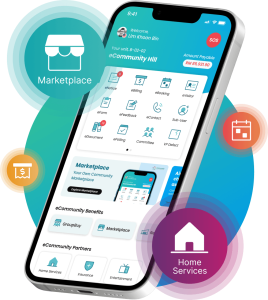
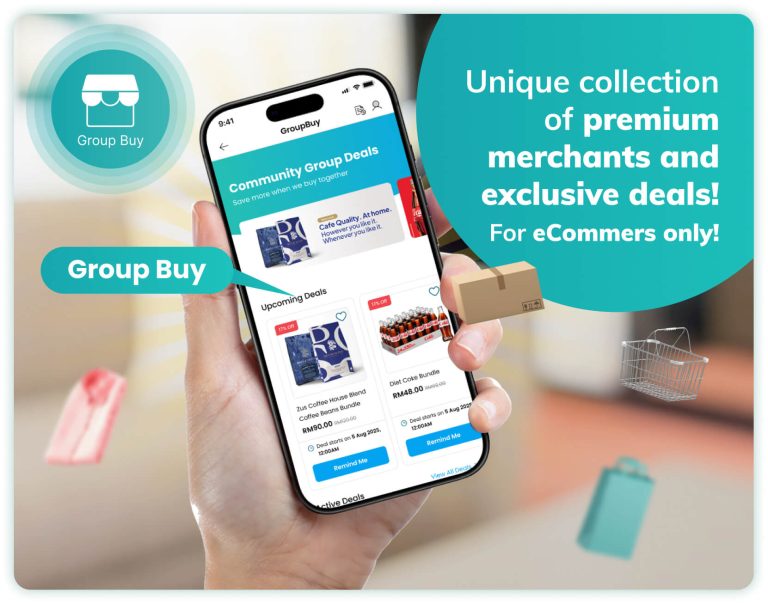
eCommunity Group Buy brings residents together through organised buying campaigns. It gives merchants a channel to introduce their products or services to participating communities, while residents gain access to group offers.
Through these campaigns, merchants can reach residential communities, increase brand visibility, drive sales and build lasting customer relationships.
Group Buy allows residents to purchase products at exclusive community prices. When enough residents join a deal, the deal is unlocked and orders are confirmed.
This FAQ is provided for your convenience and is a summary only. Full terms are set out in the eCommunity Group Buy Terms & Conditions, available within the app.
Credit Card
Debit Card
If your credit card payment cannot be successfully charged at the time of unlock (for example, due to an expired card or insufficient funds), eCommunity will contact you to resolve the issue within six (6) hours after notification. If payment is not successfully completed within this period, your order will be automatically cancelled, subject to the eCommunity Group Buy Terms & Conditions.
MOQ stands for “Minimum Order Quantity”. Each deal requires a minimum number of orders before it can proceed.
If the MOQ is achieved, the deal is successfully unlocked and your order is confirmed.
If the deal does not proceed:
You may cancel your participation at any time before the deal is successfully unlocked. Once the deal has been successfully unlocked, cancellations are no longer permitted, even if the campaign end date has not yet been reached.
Yes. You may participate in multiple active Group Buy deals at the same time. You may also join the same deal multiple times during the campaign period, subject to any quantity limits specified in the deal details. Each participation will be treated as a separate order and will appear separately in your order history.
Yes! Tap the Share button on the right corner of any Group Buy deal to share it via WhatsApp or other supported apps. Sharing the deal helps more residents join the campaign and increases the chance of reaching the MOQ.
Please note: Group Buy deals are exclusive to each residential community. If the recipient belongs to a different residential community, they will not be able to view or join the shared deal.
Orders must be collected at the designated collection point on the specified date and time displayed in the deal details and order information within the eCommunity app. Residents may collect their order personally or authorise a representative to collect on their behalf, provided the required Order ID is presented.
Please inspect your order before leaving the collection point whenever possible, then tap “Order Received” after successful collection.
Please collect your order at the scheduled collection time. If you do not collect your order, it will be moved to your designated parcel rack or collection holding area (where available) and held for up to twenty-four (24) hours from the scheduled collection time. After that, the items may be returned to the Merchant or disposed of, depending on the product. For fresh or perishable items, product quality cannot be guaranteed once the scheduled collection time has passed, even if the order is still within the holding period. No refunds will be provided for orders that are not collected within the 24 hours holding period, subject to the eCommunity Group Buy Terms & Conditions.
If the scheduled collection is delayed due to operational reasons, eCommunity will notify affected residents through the app and provide updated collection details where applicable. Please refer to the latest updates in the eCommunity app before proceeding to the collection point.
Once you have marked your order as “Order Received”, the “Return / Refund” option will be available in your order details. If there is an issue with your order, submit your refund request within forty-eight (48) hours from the scheduled collection time stated for the campaign, together with supporting evidence (such as photos where applicable).
Refund requests submitted after the 48-hour period will generally not be accepted, unless otherwise required by applicable law or approved by eCommunity under exceptional circumstances.

The “Return / Refund” option may be unavailable for one of the following reasons:
If you believe you are unable to submit a refund request in error, please contact eCommunity through the “Chat with Us” feature under your Group Buy profile.
eCommunity will conduct an initial assessment within 1–3 business days. If approved, refunds are typically processed within 7–14 business days, subject to payment gateway and banking processing timelines. Additional information may be requested where necessary.
Refund requests may be considered if:
Please note: All refund requests are subject to review and approval by eCommunity.
Products sold through Group Buy are supplied by independent Merchants. The Merchant is responsible for product quality, safety, fulfilment, and regulatory compliance. eCommunity acts as the platform operator and operational coordinator.
For assistance regarding Group Buy, please contact us through the “Chat with Us” feature in the eCommunity app or email us at [email protected]
Enhance your community & property management experience with eCommunity by requesting for a FREE demo and discover what eCommunity can do for you.
We value your feedback & ideas! If you were referred to us, kindly furnish us with the contact details of said individual, along with your thoughts. Thank you.